Publishing Data to OBIS
Dataset preparation and export
2026-07-24
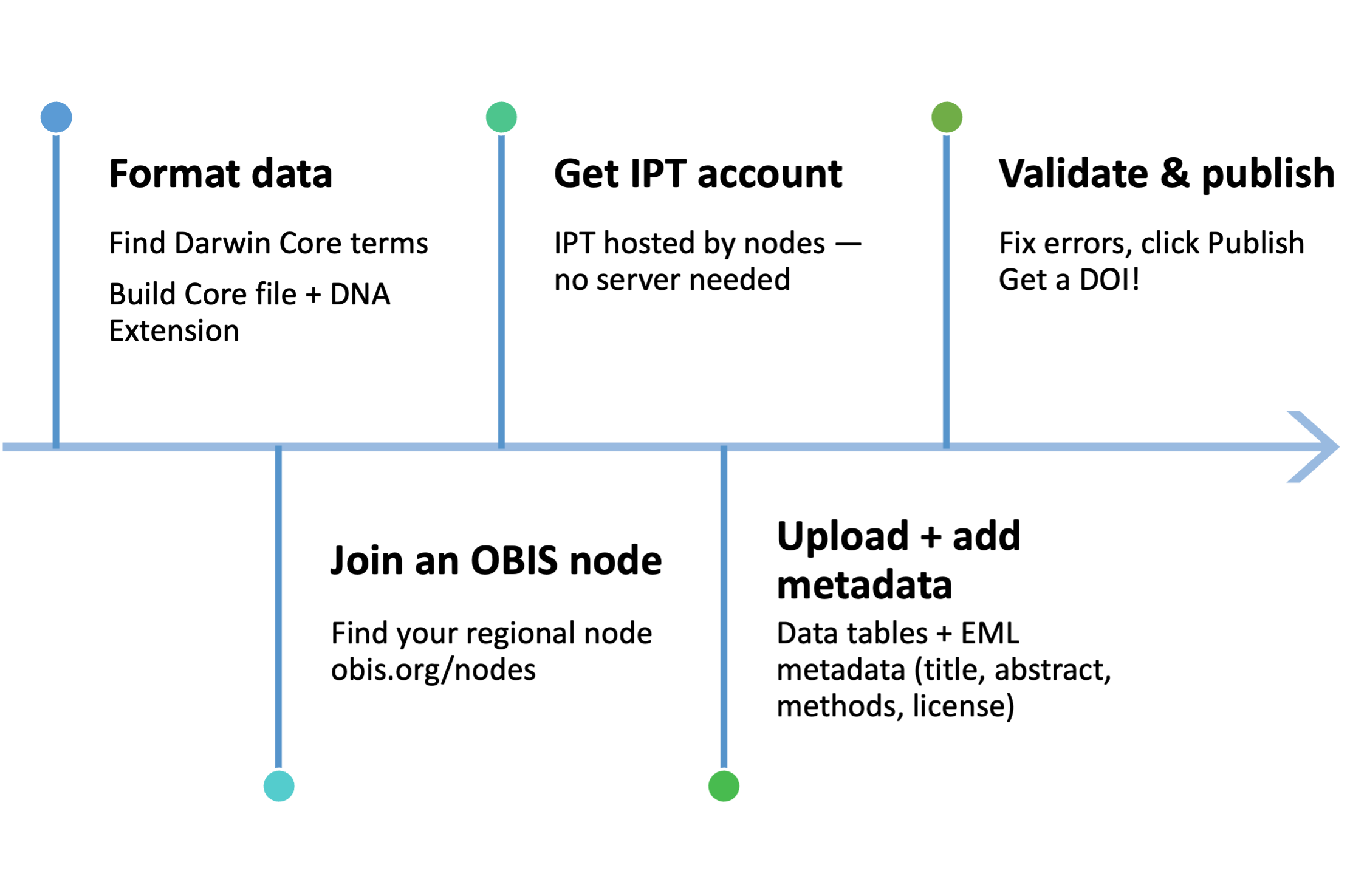
Publishing workflow
Integrated Publishing Toolkits (IPT) are hosted by OBIS nodes — you do not need to run your own server. OBIS has nodes covering most world regions. Find yours at obis.org/nodes.
What files are needed?
Every dataset = 1 core table + 0 or more extensions
For eDNA data → typically minimum of 3 DwC files:
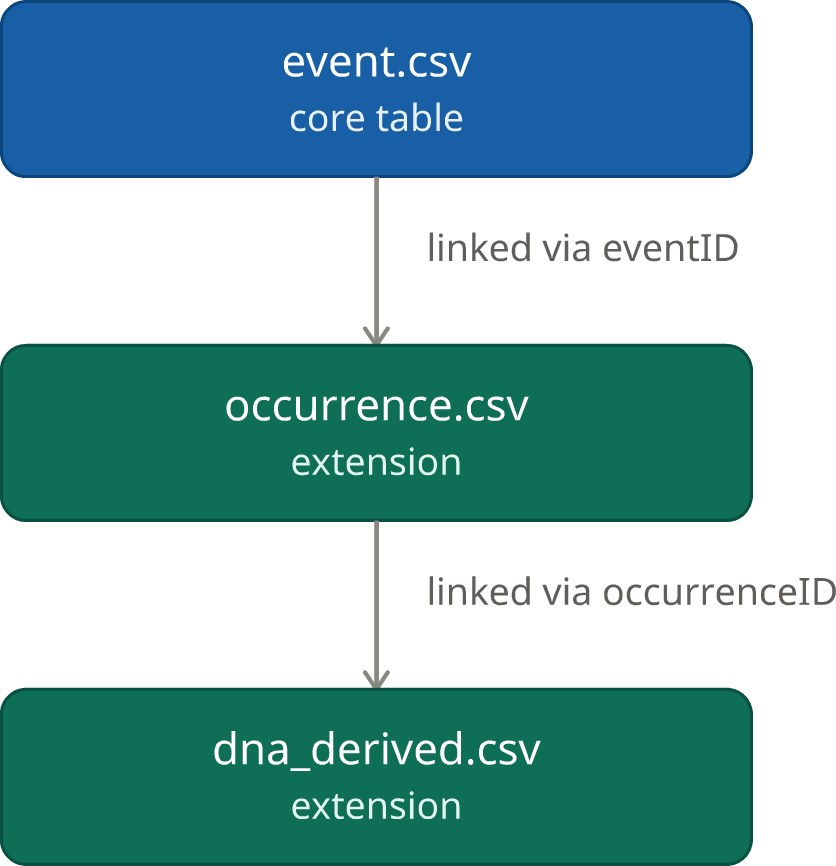
Plus emof.csv for environmental/biotic measurements!
Getting started on the IPT
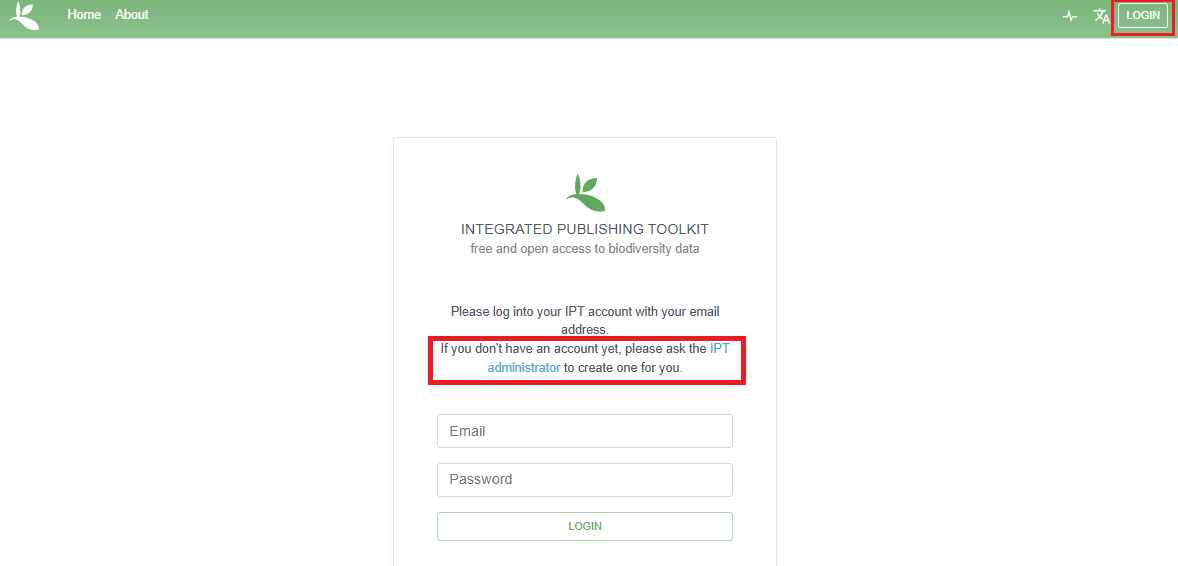
1. Contact node mananager to create IPT account
2. Log in to account
3. Manage resources → Create new → (= your dataset)
- Give it a short, unique shortname (no spaces/special characters — this can’t be changed later!)
- Choose a type: Occurrence or Sampling-Event
Testing?
Add _test to the end of your shortname, and let your node manager know before you delete it.
Uploading & mapping your data
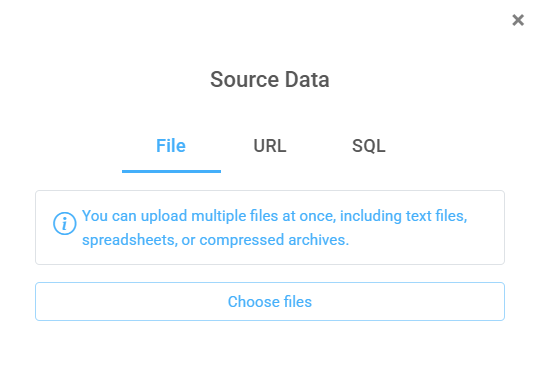
Upload: Overview → Source Data → Choose File
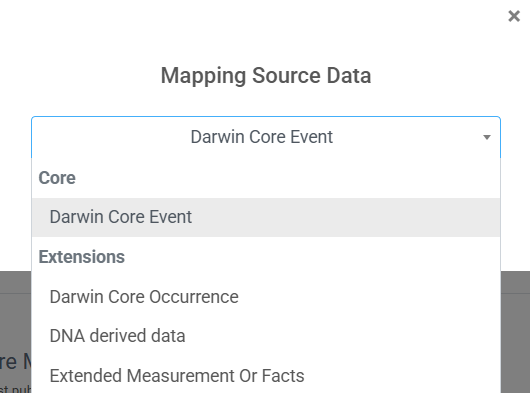
Map: for each source file, click + Add and match columns to Darwin Core terms
- Double check IPT’s auto-matches
- Unmapped fields sit at bottom — check if they need to be included or leave them (they just won’t be published)
- Repeat for each table: Event, Occurrence, DNA extension, eMoF…
Publish once, reach both networks
Your dataset can also be registered with GBIF — no separate upload needed!
- Publication section, set Registration → Registered
- Not required for OBIS — OBIS already harvests your IPT independently
- Skip if dataset is already published in GBIF by another publisher
- Ideally there is only one IPT resource per dataset
- IPT itself must also be registered with GBIF (ask your node manager)

Publish once, use many times
OBIS and GBIF collaborate to ensure biodiversity data reaches both networks. Data providers only need to upload once to reach both!